Matches
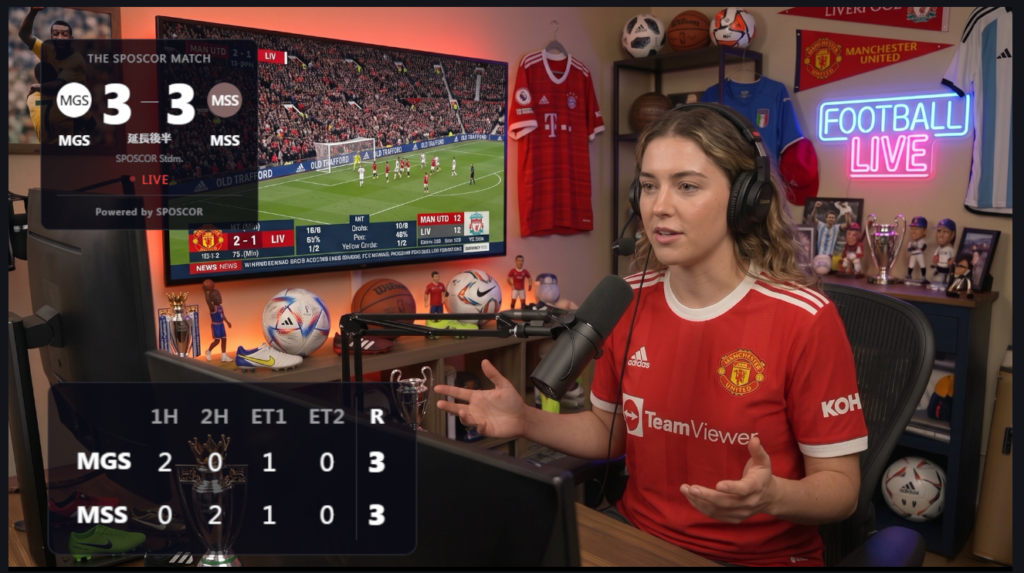
An example of how a match is displayed. The page is made up of three blocks: the scoreboard, the starting lineup, and highlights. Every block can be shown or hidden individually, so you publish only what you need.
Six display themes are available (Light, Dark, Mono, Pro, Studio, Minimum), applied across all matches and tournaments.
Pro adds finer control over background colors, text colors, and font sizes, and lets you save your own settings as presets. It also gives you a way to paste a lineup straight in from Excel in one go — the tedious part, handled — along with URLs for OBS streaming.


Match details
Date, time, status, venue, attendance, season or tournament name, weather, scoreboard order, notes
Team settings
Team name, abbreviation, team color, team badge (monogram, emoji, or image)
Scoreboard
Scoreboard, highlights
Starting lineup
Squad number, position, name, captain (★)
Display settings
Default (follows the global setting), or customized per match
Shortcodes
Full scorecard, compact result (with link)
OBS streaming (Pro)
Main score URL, scoreboard URL
Tournaments (Pro)
An example of a knockout tournament. Brackets are generated from 4, 8, 16, or 32 teams, with support for walkovers and seeding.
You can create a match directly from a fixture, and once created, it’s reachable from the detail link. Matches created this way don’t need a shortcode pasted into a post to appear.


Basic settings
Start date, end date, venue, format (league or knockout), standings style (ranked or matrix — league only), number of teams (up to 32 — knockout only), match layout (one or two columns), tournament status
Points settings
League only
Fixtures
Team name, abbreviation, team color, team badge (monogram, emoji, or image), score, match status, date, time, venue, notes, create match, walkover and seeding (knockout only)