SPOSCOR Core and the Soccer, Basketball and Padel plugins have been updated. Most of these changes come from feedback by people running real leagues with SPOSCOR.
| Plugin | Version |
|---|---|
| SPOSCOR Core | 1.2.3 |
| SPOSCOR Soccer | 3.3.2 |
| SPOSCOR Basketball | 1.12.2 |
| SPOSCOR Padel | 1.5.2 |
SPOSCOR Volleyball, now in review, includes the same changes from day one.
Please update Core and your sport plugin. The new display in the sport plugins needs Core 1.2.3. You can update everything at once from Dashboard → Updates. The Core update can take a few hours to appear; if you don’t see it yet, click “Check again” on the same screen.
Shorter pages for lists of games
On a page that lists every game, use instead of .
[sposcor_result id="123"] 


shows the top of the scorecard — teams or players, score, date and venue, and your link buttons — with a View Details button. Stats and score tables stay on the game page, so a list of dozens of games stays short.
The game page header has a new look too: it uses the colours from your design settings and shows the tournament name, the date and the venue.
Note: the page= option of has been removed. View Details always opens the game page. If you used page=, remove it.
Tap anywhere on the match card
In tournament views, including side by side, the whole match card now opens the game page — no aiming for a small link on a phone. The More link is still there.

Live games update by themselves
When a game is live, auto-refresh switches on by itself — in the scorecard, in and in tournament views. Visitors see the score move without reloading the page.
Games decided without playing (Pro)
You can now record a game that was decided without being played — when a team doesn’t show up, for example. The wording, and which team you choose, follow each sport’s practice.
| Soccer, Basketball | Padel, Volleyball | |
|---|---|---|
| Called | Forfeit game | Walkover (W.O.) |
| On the game, choose | the team that loses by forfeit | the team that wins without playing |
| Points setting | Forfeit Pts | Walkover loss Pts |
| Shown as | “REB loses by forfeit” | “REB wins by walkover” |
Two settings:
- In the tournament’s points settings, set the forfeit (or walkover loss) points. For basketball under FIBA: Win 2 / Loss 1 / Forfeit 0
- On the game’s Game Info tab, choose the team
In the standings, the winner gets a win and the Win points; the other team gets a loss and the forfeit (or walkover loss) points. Tournament cards and the game page show a label. The score is shown as you enter it; if you leave it empty, the losing side shows “Forfeited” or “W.O.” instead.
In basketball, a game stopped because a team has too few players is not a forfeit but a normal loss: enter the score as usual. Under FIBA, the losing team gets the Loss point (1).
League match cards without a game page can be set the same way. Knockout tournaments keep “Walkover” as before.
Team logos and sport-specific columns in the standings (Pro)
The standings now show team logos, and the points columns are named for each sport.
| Sport | Columns |
|---|---|
| Basketball | PF / PA |
| Soccer | GF / GA, without GB and Win% |
| Padel, Volleyball | SW / SL (sets won and lost) |
Or paste your own standings (Pro)
If you’d rather publish the official table from your federation, choose “Paste a table” under “How to show the standings” and paste it from Excel or Google Sheets. SPOSCOR shows the table you paste instead of calculating one.
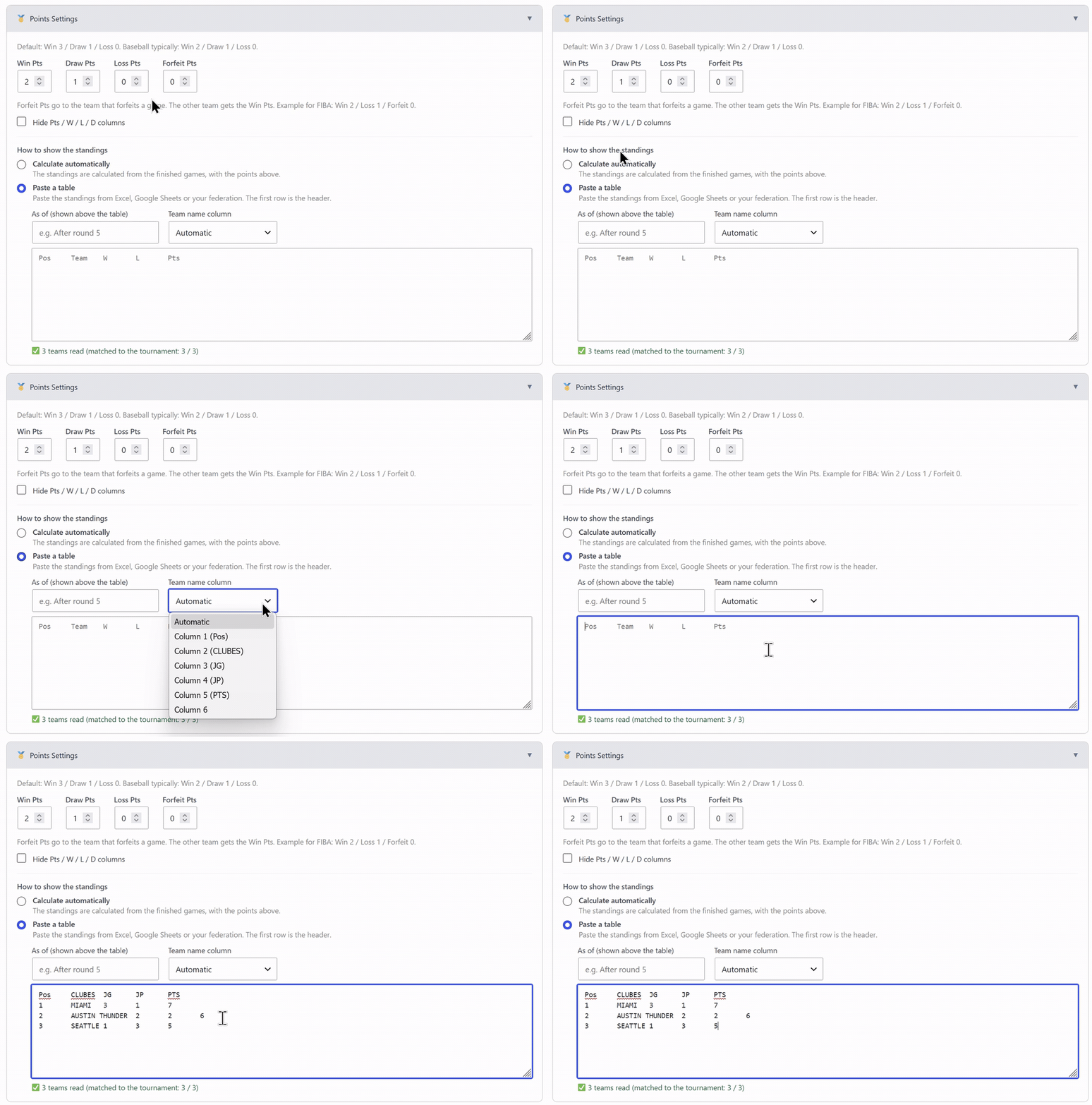
Team names in the pasted table are matched to the tournament’s teams and to Team Management, so the logos appear — even when names differ in upper and lower case, accents or abbreviations. Any name that isn’t found can be chosen from a list.
From the previous update (Pro)
- Choose the photo shape on the roster page: square (as before), portrait 2:3 for player cards, or the original shape without cropping. Set it on the team’s edit screen under Roster page → Photo shape
Thank you to everyone who sent feedback. If anything could work better for your league, write to support@sposcor.com.